In the world of enterprise e-commerce, the term "customer experience" (CX) is often mistakenly narrowed down to aesthetic appeal or mobile responsiveness. However, for a B2B merchant using Magento (Adobe Commerce), customer experience is an operational strategy. It is the digital manifestation of business logic, contractual obligations, and organizational workflows. Unlike B2C, where CX focuses on emotional engagement and impulse, B2B CX is successful when it is invisible—meaning the platform allows a professional buyer to complete a task with zero friction.
This guide helps Magento store owners move beyond a "B2C-plus" mindset. We will explore how to achieve a high-performance B2B environment by configuring Magento’s deep architectural layers—from company roles and custom pricing to quote negotiations and bulk reordering—to transform the platform from a simple storefront into a vital procurement tool.
B2B CX is fundamentally about reducing friction in complex buying workflows. A professional buyer is not shopping for pleasure; they are performing a job function. Every second spent searching for a SKU, waiting for a quote, or correcting a checkout error is a cost to their organization.
Misunderstanding CX leads to misconfigured Magento B2B features. When merchants treat B2B as a visual layer, they often neglect the backend logic that governs how accounts interact with data. A strong CX strategy lowers support and sales dependency by empowering the customer to self-serve, effectively turning the Magento instance into a 24/7 sales representative that never makes a manual data entry error.
How to implement in a Magento store
To redefine CX, you must first enable the B2B module. Navigate to Stores > Settings > Configuration > General > B2B Features. Set "Enable B2B Features" to "Yes".
B2B purchasing involves multiple stakeholders with different goals. A procurement officer cares about budget limits; a project manager cares about technical specifications; a finance director cares about tax exemptions and credit lines. A single CX flow cannot serve buyers, approvers, and finance teams equally.
Role-based journeys reduce errors and internal approval delays. If a junior buyer can only "request" an order but not "authorize" payment, the system prevents unauthorized spending before it ever reaches your warehouse. This precision builds trust between the merchant and the client organization.
How to implement in a Magento store
Pricing confusion is the fastest way to break B2B trust. In a world of negotiated contracts, showing a buyer the "list price" instead of their "contract price" creates immediate hesitation. Predictable pricing enables self-service; if a buyer has to call a sales rep to confirm their discount, the e-commerce platform has failed. Clear pricing reduces negotiation overhead and significantly cuts down on "clarification" support requests.
How to implement in a Magento store

Many B2B orders require internal review or price negotiation before a purchase can be finalized. In Magento, quotes should be viewed as part of the buying process, not an exception to it. If the quote process is manual (via email or PDF), it extends the sales cycle and creates data silos. A digital, integrated quote-to-order flow reduces the "time-to-order" and increases conversion by keeping the entire negotiation within the transactional platform.
How to implement in a Magento store
While B2C checkout is about speed, B2B checkout must ensure compliance, accuracy, and accountability. A buyer might be purchasing for a specific project code or under a specific grant. Errors at checkout—such as missing a Purchase Order (PO) number—create massive amounts of backend rework and may lead to internal rejection by the buyer’s finance department. Controlled checkout improves operational efficiency for both the merchant and the buyer.
How to implement in a Magento store
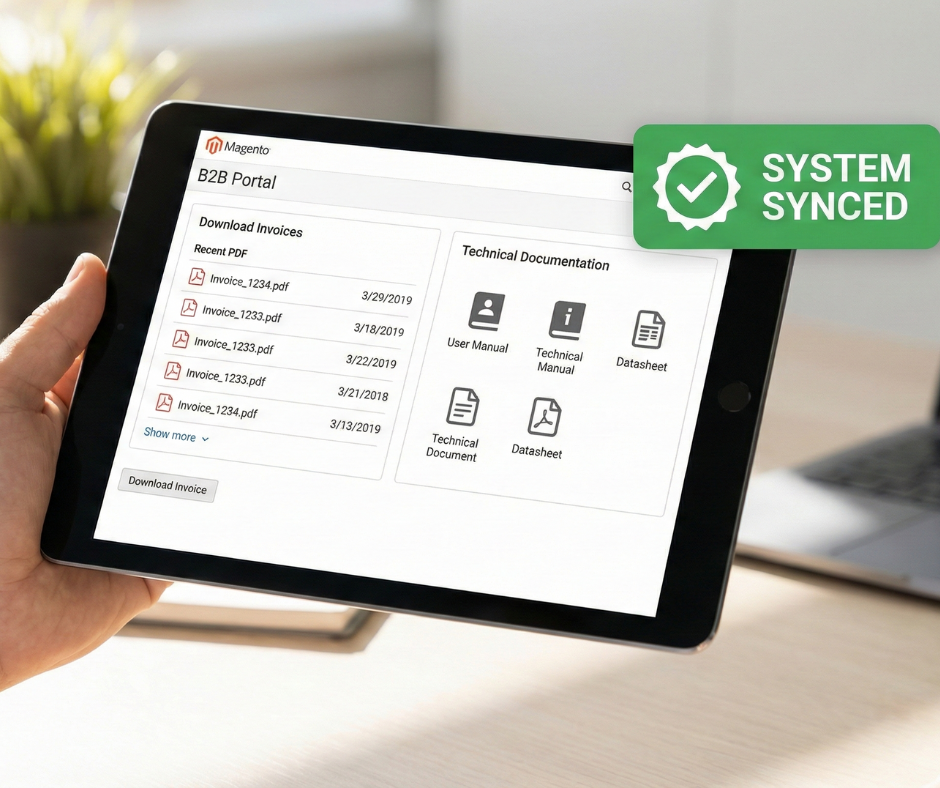
B2B customers expect to manage routine tasks independently. They don't want to call a support line to find an invoice from six months ago or to check if a tracking number has been generated. Self-service lowers your internal operational costs and improves customer satisfaction by providing immediate answers. In the B2B context, the account dashboard is the center of the experience, often more important than the homepage.
How to implement in a Magento store
Most B2B revenue comes from repeat buyers who know exactly what they want. They are not "browsing"; they are "replenishing." Faster reordering directly increases customer lifetime value (CLV) and improves long-term retention. If you make the reordering process 10% faster, you significantly reduce the likelihood of the buyer looking for an alternative supplier.
How to implement in a Magento store
Inaccurate data damages trust more than a poor UI ever could. If the frontend says an item is in stock, but the warehouse is empty, the customer's project is delayed. B2B buyers value reliability over marketing claims. Your frontend CX must reflect the operational reality of your supply chain.
How to implement in a Magento store
To maintain a sustainable competitive advantage, Magento store owners must move beyond generic vanity metrics. Effective B2B CX measurement focuses on "Time-to-Value" and "Operational Savings." Instead of just tracking conversion rates, merchants should analyze the efficiency of the digital relationship.
Key performance indicators (KPIs) for B2B Magento instances include:
By utilizing Magento's native reporting and integrating with Business Intelligence (BI) tools, you can identify specific bottlenecks in the role-based workflows and adjust permissions or UI elements to optimize the procurement cycle.

Many merchants attempt to use B2C engagement strategies, such as aggressive marketing pop-ups and lifestyle-heavy imagery, failing to understand how to enhance B2B engagement & first impressions in Magento without distracting professional buyers who are on the site to execute a task quickly.
How to mitigate them
Focus on utility and speed. Streamline the interface to prioritize search, SKU entry, and technical specifications over promotional banners. Use "Gated" content to ensure that only logged-in, authenticated buyers see professional-grade data relevant to their specific business needs.
A common misconception is that B2B buying only happens at a desk. In reality, field technicians, warehouse managers, and site engineers frequently use mobile devices to check stock or reorder supplies on the go.
How to mitigate them
Adopt a mobile-first approach for B2B features. Ensure that "Quick Order" SKU fields and requisition lists are touch-friendly and that complex tables for order history are responsive or summarized effectively for small screens.
B2B transactions often involve massive shopping carts with hundreds of line items. If the platform takes seconds to update a quantity or calculate a discount, the cumulative delay becomes a significant operational bottleneck for the buyer.
How to mitigate them
Optimize Magento’s indexing and caching layers specifically for B2B. Implement asynchronous cart processing and "Add to Cart" logic so that buyers aren't forced to wait for page reloads when building large, complex orders.
Forcing long-standing corporate partners to pay via credit card instead of offering "Payment on Account" or credit limits creates financial friction that can drive buyers back to traditional offline channels.
How to mitigate them
Enable Magento’s native Company Credit features. Configure credit limits, allow for Purchase Orders (POs) at checkout, and ensure the finance team can easily view and download invoices for accounting reconciliation.
Inconsistent data between the storefront and the backend ERP (Enterprise Resource Planning) system leads to pricing errors, stock-outs, and incorrect shipping information, which fundamentally breaks the buyer's trust.
How to mitigate them
Establish a robust, real-time integration middleware. Ensure that pricing logic and inventory availability are synchronized between systems, and that any "custom" data collected at checkout (like project codes) is correctly mapped to the ERP for fulfillment.
Building a B2B customer experience strategy in Magento is a journey from simple transactions to deep operational integration. By focusing on role-based access, pricing transparency, and efficient reordering, you transition from being a vendor to becoming a critical partner in your customer's supply chain. In the enterprise space, the best customer experience is one that respects the buyer's time, honors their contracts, and simplifies their professional responsibilities. When your Magento store becomes the easiest part of a buyer's day, repeat orders become the natural outcome.
.png)

